Skip to content

The Yaverim assistant

Ask your data, see the evidence, approve the work.

Yaverim is the built-in assistant: it turns questions into safe queries, links answers to reports and queues work for approval.

Showreel — A short walkthrough of how the tower works.

Showreel — A short walkthrough of how the tower works.

Questions and documents

Talk to Data

Your question becomes a safe query and reads only from the tables you allow; the answer arrives as one of six response formats, and you can drill from a chart down to the breakdown. A vague question gets at most two clarifying questions.

Yaverim6 lines
  • Question in, answer from your table
  • Your answer arrives as a card
  • Ready-made question suggestions
  • Chat history and search
  • Answer language setting
  • It clears up a vague question

Document Intelligence

PDF, Office and TXT documents are uploaded; answers come back with page numbers and personal data is stripped before document chunks become searchable. The original file is kept only for documents awaiting review, for seven days, in the folder the operator sets.

  • Ask your contracts and reports
  • Personal data is hidden in documents
  • You decide who sees which document
  • Document freshness
  • How long documents are kept

Power BI

Power BI and Fabric reports, end to end

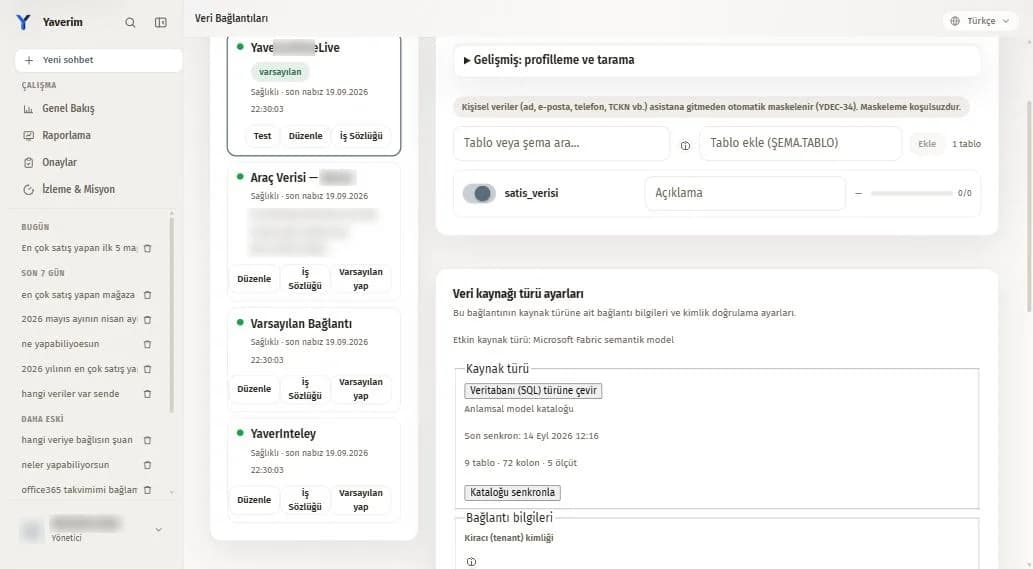
You connect your prepared report model as a source; questions, cards, reports, scheduled delivery, threshold alerts and the company dashboard are all produced from the same model. The query runs in your own Power BI environment.

  • Talk to your Power BI reports
  • Persistent report
  • Scheduling

Voice, reports and memory

Real-time voice

Yaverim works in real-time voice and you can interrupt it. The answer arrives as a spoken summary, the detail stays on screen in the card and you always give approval from the button on screen; an extra voice model can be selected.

  • Voice channel
  • Realtime voice
  • Extra live voice model
  • Voice catalog
  • New-generation voice provider
  • Full voice delegation

Reports, dashboards and target tracking

Reports you pin are re-run from the saved definition and download as Excel, CSV or JSON; PDF arrives in scheduled delivery, and dashboards are set up as personal or company dashboards. Target tracking sets threshold or percentage-change alerts and keeps 400 days of measurement history.

Yaverim8 lines
  • Persistent report
  • Scheduling
  • Dashboards
  • It tells you when a target slips
  • Measurement history
  • Morning briefing
+2 more
  • Report email to external recipients
  • Slack report delivery

Memory and learning stay under your control

You pin, archive and undo personal memory, and every record is tied to the conversation it was learned in. Company Brain recalls institutional knowledge for authorized people in text chat; management approves what becomes permanent.

  • A question bank for your organization
  • Personal memory
  • In-chat memory card
  • Work Brain
  • Company Brain
  • Work Brain editor
  • Value and measure dictionary
  • Enterprise knowledge packs
  • Management approves what is kept
  • Knowledge awaiting approval
  • Correcting a wrong answer
  • Teach your system

Answer evidence

The source information beside the answer

The same information sits under every answer; the source and the evidence are written down.

  1. 1
    The query that was run and the protection version
  2. 2
    The type and the name of the source
  3. 3
    Which connection the answer came from
  4. 4
    Whether record sharing is on or off
  5. 5
    The knowledge areas used and document page numbers
  6. 6
    A warning for knowledge awaiting approval, and why a question was refused

Product screens

Product screens

01 / 06

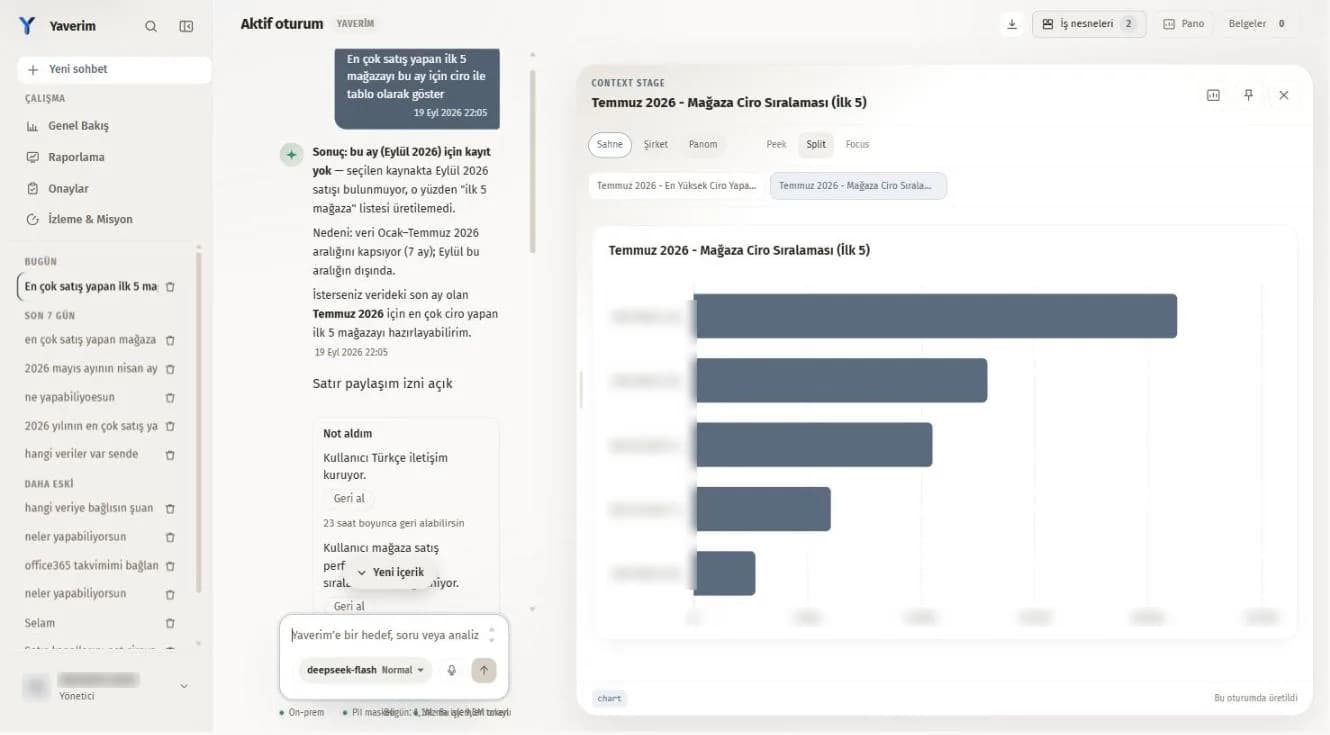
When data for the period asked is missing from the source, Yaverim says so plainly and offers the closest period; the card opens on the screen to the right.

When data for the period asked is missing from the source, Yaverim says so plainly and offers the closest period; the card opens on the screen to the right.

Request a quote