
FLOOR 0
Sources
Your own company database and your Power BI reports connect inside your corporate network; documents are uploaded to chat. One active source per deployment is used.
Yaverim Platform
Yaverim Platform runs on your server. The Yaverim assistant queries your data in your language; every answer shows its source. You define an assistant for each job and run them together.
Two setups: cloud or on-premises model. The AI sees a summary, not your table; every action that changes data goes to you first.

Outcome
A report request → your own question
A summary → the query beside it
Assistant team
Yaverim is more than a single assistant that answers questions about your data. You define a separate assistant for each job and decide its task, the tools it may use and its daily usage limit. The ones below are examples.
For example, you could set up an assistant that answers questions such as leave balances, open positions and candidate status from the records in your HR system, and searches policy documents with page references. If a record needs changing, the work becomes a draft and waits for your approval.
For example, you could set up an assistant that tracks VAT and tax calendar dates against the list you define, prepares period summaries from the data in your accounting software, and drafts reminders for missing documents.
For example, you could set up an assistant that compares budget with actuals, follows cash flow and lets you know when a threshold you set is crossed. Results land in pinned reports and dashboards.
In scheduled tasks, one assistant can call another assistant you have allowed; for example, the CFO assistant asks the accounting assistant for a tax date. Delegated work runs with at most your own authority, and every step is recorded.
These examples are a starting point; the scope is agreed together at setup.
Tower ascent

FLOOR 0
Your own company database and your Power BI reports connect inside your corporate network; documents are uploaded to chat. One active source per deployment is used.
FLOOR 1
The ready-made Yaverim assistant asks your data questions in your own language. Every answer states where it came from: which data, which period and which document it rests on.
FLOOR 2
What an assistant can do is bounded by the user's permissions, the assistant's own rights, what the channel opens up and the type of source. Everyone sees and does only what their authority allows.
FLOOR 3
You define your own assistants on screen: name, task description, the tools they may use and a daily usage limit. An assistant hands work to another only with your permission.
FLOOR 4
Every action that changes data becomes a draft first and waits in the Approval Center. You approve one by one, in a chosen batch or with a second approval; even in bulk, every action counts separately and a person always gives the approval.
FLOOR 5
What the platform learns grows under your control. Unverified knowledge stays labelled, and management approves anything that becomes permanent.
FLOOR 6
Yaverim Platform brings three layers together in one product: the tower, assistants, capabilities and sources. It answers three questions: What happened? What's on today? Do this.
Three questions
You ask in your own words and it becomes a safe, read-only query. The answer arrives as a table, chart, single figure, list or timeline, and every figure on screen is bound to the real query result.
You set your targets and hear from us only when something slips.
Every action that changes data becomes a draft first; the moment you approve it your authority is re-checked, the work is done and it goes on record.
Product screens
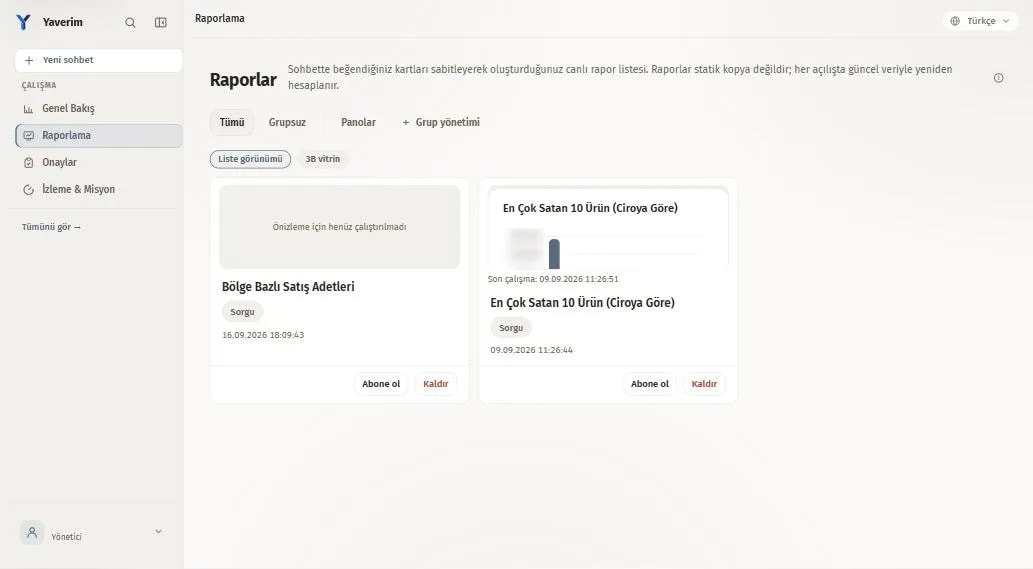
You pin the card from the chat; the report re-runs itself against current data.
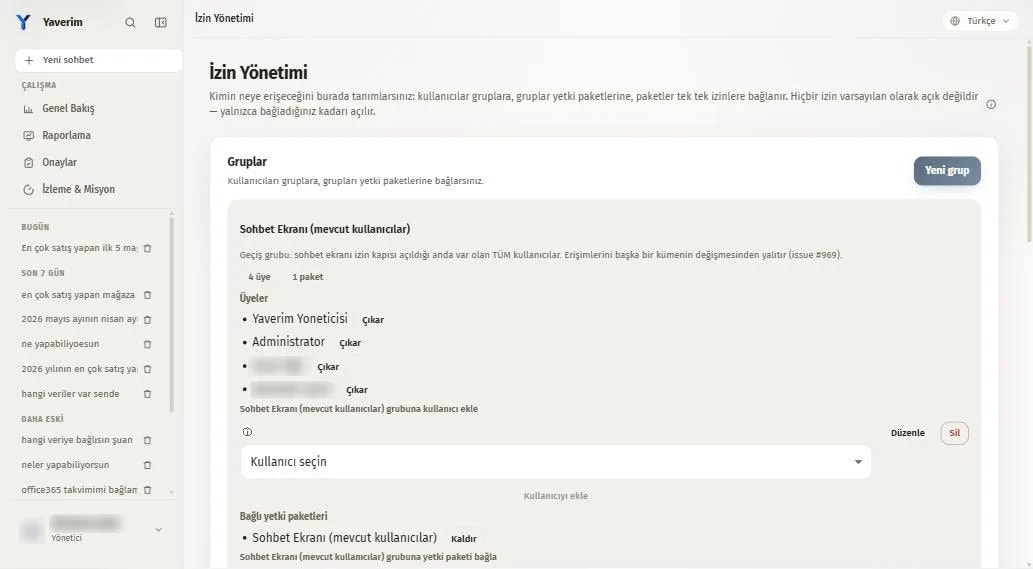
You add users to groups and groups to permission packages; you switch each permission on, and each one starts with your approval.
Sources


It connects to your own database

It connects to your Oracle database

Talk to your Power BI reports

Ask your Excel files

Ask your contracts and reports
Channels
 Teams notifications and report delivery
Trust wall

The AI sees a summary, not your records.
On masked screens, personal data is hidden before it reaches the AI.
You decide what leaves.
Query and report results appear once the record is written.
The license is verified without an internet connection.
Boundaries
It uses the prepared report model of Power BI or Tableau as a source and adds questions, reports, alerts and dashboards on top.
It runs inside your organization, for authorized users.
Its strength comes from being tied to your own data, your channel and permission rules and your approval flow.
Getting started
Half a day. We list your questions and your systems.
Half a day to a day. It goes on your own server and your systems are connected.
Two to four weeks. We work on your real questions with your own data.
Timings are typical values; they change with your scope.
Next step
Discovery typically takes half a day, deployment half a day to a day, and the pilot two to four weeks. Fill in the form for a quote, or write to [email protected] directly.